
inViu GPS-details1.9.0 - Google Play
You'll be able to see results in few seconds.
Publisher Description
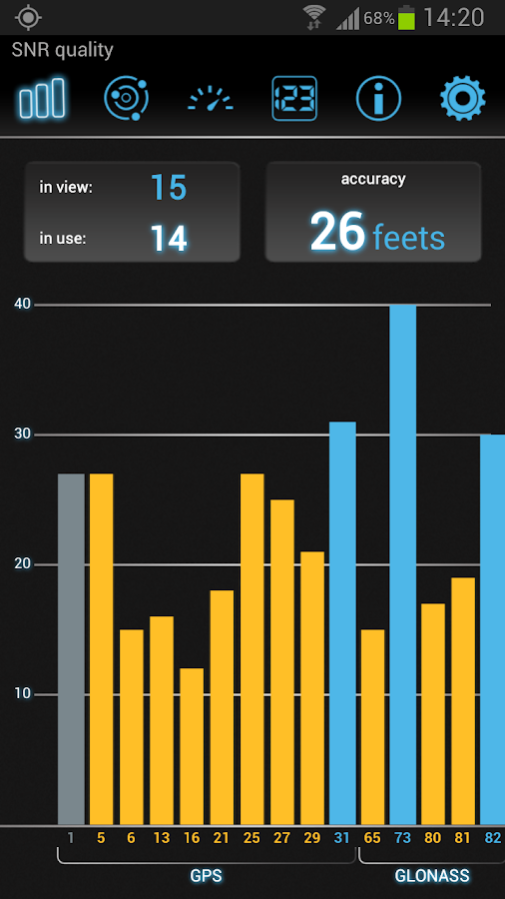
inViu GPS-details displays all of your important GPS information in one convenient, easy-to-use, ad-free app.
Features:
▶ speedometer with speeds up to 1,200 km/h (750 mph)
▶ cardinal direction indicator
▶ built-in compass
▶ satellite signal strength
▶ GPS reception accuracy
▶ positions of the satellites with their satellite number
▶ the exact GPS position as a decimal value
▶ GPS time
▶ metric or imperial measuring systems
▶ landscape format available for optimal display
New features in the latest version:
▶ switch the main scale on the speedometer screen from speedometer to compass with the option to show the digital measurement of the small scale
▶ customise the speedometer scale increments (ie. for running, cars, or planes)
▶ choose between a static compass image with a rotating needle or a static needle with a rotating compass scale
▶ new digital screen now displays the current speed, great for runners and cyclists; configurable font settings and day/night mode
▶ new info screen shows current position, altitude, time, sunrise/sunset, angle, quality of GPS, and speed
▶ new settings offered, including geographic coordinate system format, magnetic sensor
▶ demo mode (allows you to record and replay GPS data)
▶ swipe left or right to switch between the six screens
This ad-free app does not read or transmit any data from the phone.
Available languages: English, French, German, Russian, and Spanish.
Detailed help text available in all languages.
No App2SD
Custom ROMs are not provided
-----------------------------------------------
For more information: https://www.enaikoon.com/en/mobile/plugins/gps-details/
-----------------------------------------------
Required permissions
Precise location (GPS):
provides access to GPS receivers
Memory:
required to store the end user licence on the phone
Network communications:
required to download the end user license.
About inViu GPS-details
The company that develops inViu GPS-details is ENAiKOON GmbH. The latest version released by its developer is 1.9.0.
To install inViu GPS-details on your Android device, just click the green Continue To App button above to start the installation process. The app is listed on our website since 2016-10-17 and was downloaded 0 times. We have already checked if the download link is safe, however for your own protection we recommend that you scan the downloaded app with your antivirus. Your antivirus may detect the inViu GPS-details as malware as malware if the download link to de.enaikoon.android.inviu.gpsdetails is broken.
How to install inViu GPS-details on your Android device:
- Click on the Continue To App button on our website. This will redirect you to Google Play.
- Once the inViu GPS-details is shown in the Google Play listing of your Android device, you can start its download and installation. Tap on the Install button located below the search bar and to the right of the app icon.
- A pop-up window with the permissions required by inViu GPS-details will be shown. Click on Accept to continue the process.
- inViu GPS-details will be downloaded onto your device, displaying a progress. Once the download completes, the installation will start and you'll get a notification after the installation is finished.
Program Details
System requirements
Download information
Pricing
Version History
version 1.9.0
posted on 2016-10-17
version 1.5.4
posted on 2013-03-21
Several fixes and updates
Disclaimer
Official Google Play Link
We do not host inViu GPS-details on our servers. We did not scan it for viruses, adware, spyware or other type of malware. This app is hosted by Google and passed their terms and conditions to be listed there. We recommend caution when installing it.
The Google Play link for inViu GPS-details is provided to you by apps112.com without any warranties, representations or guarantees of any kind, so access it at your own risk.
If you have questions regarding this particular app contact the publisher directly. For questions about the functionalities of apps112.com contact us.
